The Handheld Call of Duty Reality Check
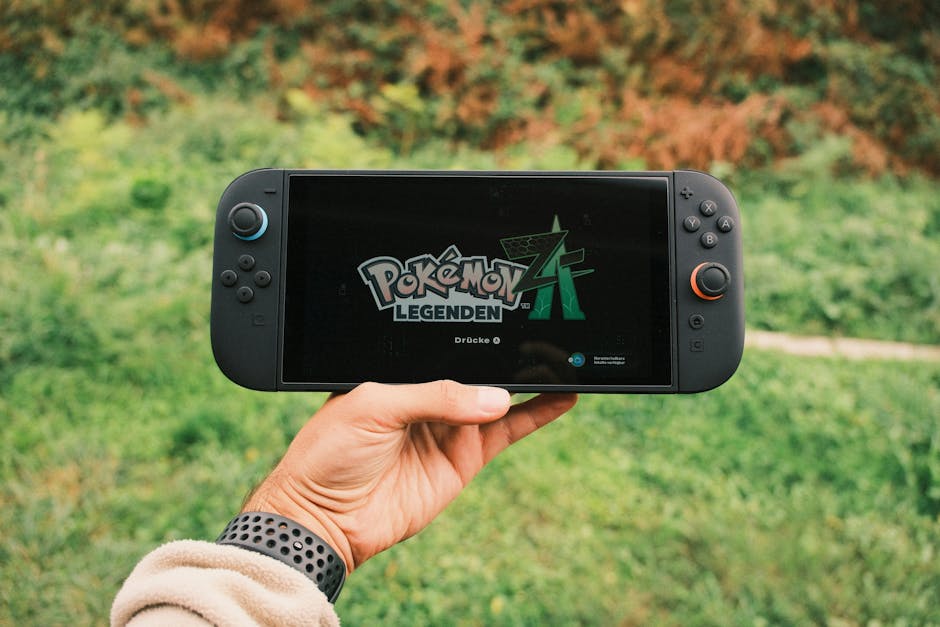
Nintendo fans are finally getting a mainline Call of Duty game on day one. That sentence would have sounded completely absurd a few years ago. Yet here we are staring down the launch of Modern Warfare 4 on the successor to the Switch. The portable hardware power bump makes it possible. What makes it terrifying for competitive players is the multiplayer ecosystem. Activision relies heavily on crossplay to keep matchmaking queues healthy across every single platform. That means Nintendo players will likely share lobbies with PC veterans running at two hundred frames per second on ultra wide monitors.
If you plan on jumping into the trenches with a detached controller while sitting on a commuter train, you need a survival strategy. Console crossplay has always been contentious. Mixing a brand new portable console architecture into the mix introduces entirely new variables. We need to talk about hardware parity, input latency, and the specific menus you need to dig into the second the game boots up. Ignoring these settings will result in a miserable experience where you spend half your match staring at a killcam showing a mouse cursor snapping to your forehead at lightning speed.
Deconstructing the Crossplay Dilemma
Crossplay is a blessing and a curse. On one hand, finding a match of Search and Destroy at three in the morning takes seconds instead of ten minutes. On the other hand, it forces a massive technological wedge between players. A PC player using a high end optical mouse has an inherent physical advantage over someone using miniature thumbsticks on a compact chassis. Add in the thermal constraints of a portable system and the inevitable frame rate discrepancies, and the playing field tilts heavily away from the handheld user.
Activision usually buries the crossplay toggle deep within the account and privacy menus. They want full lobbies above all else because full lobbies keep microtransaction revenue flowing. You have to actively fight the user interface to isolate your matchmaking pool. On PlayStation and Xbox, turning off crossplay can sometimes lead to ghost towns in niche game modes. On a brand new Nintendo platform, the initial launch window player count will be massive. That means you have a golden window where you can turn off crossplay and still find matches instantly.
You should disable crossplay immediately if you primarily play traditional competitive modes. The lobby search times might creep up slightly after the first few months, but your sanity will remain intact. Playing against controller users on other consoles is one thing. Playing against PC players who can rebind every key, adjust their field of view to extreme angles, and filter out visual noise through custom post processing filters is a completely different beast. Do not let the game trick you into thinking you are competing on equal terms.
Navigating the Settings Maze
When you first load into Modern Warfare 4 on the new hardware, put down the controller for a moment and head straight to the options menu. The default configurations are almost always designed for casual couch play rather than sharp competitive engagement. You want to hunt down the controller settings first. Look for the response curve type. Dynamic response curves tend to offer the best middle ground for precision micro adjustments while still allowing for fast turns.
Deadzones are another critical adjustment. Factory controllers often have slight stick drift out of the box, and manufacturers program large deadzones to hide it. Lowering your minimum input threshold for both the left and right sticks makes the aiming reticle feel much more responsive. You want the crosshairs to move the exact millisecond your thumb touches the thumbstick. If you notice a tiny bit of drift, bump the value up by one digit until it stops.
Visual settings matter just as much as input settings on portable hardware. Modern Call of Duty titles are notorious for visual clutter. Volumetric lighting, screen space reflections, and heavy motion blur look cinematic in single player trailers. In multiplayer, they act as a smokescreen that hides enemies lying prone in dark corners. Turn off world motion blur and weapon motion blur completely. Drop the depth of field effect so things in the distance stay crisp when you aim down sights. Every visual toggle you turn off frees up system resources and gives you a clearer picture of the battlefield.
Audio Cues and Hardware Limitations
Sound design in modern shooters is practically a form of cheating if you know how to exploit it. Footstep audio can tell you an enemy is approaching behind a concrete wall before they even round the corner. Portable hardware introduces a unique audio hurdle because built in speakers are universally terrible for directional awareness. If you try to play competitive multiplayer using the console speakers, you are playing deaf.

You need to invest in a decent pair of wired headphones. Wireless Bluetooth audio often introduces a tiny fraction of lag. That delay can mean the difference between landing the first shot and getting vaporized. Once you have your headphones plugged in, navigate to the audio tab in the game settings. Change the audio mix preset from home theater or default to headphone bass boost or a dedicated competitive preset. These profiles compress the dynamic range, making loud explosions quieter while amplifying the subtle crunch of footsteps on gravel.
Keep in mind that the new hardware will likely have varying performance profiles depending on whether it is docked to a television or running on battery power in handheld mode. Battery saver features can aggressively throttle the processor to keep temperatures down and extend play time. If you notice stuttering during intense gunfights, check your power management settings. You always want maximum performance prioritized when you enter a matchmaking queue. Playing on a throttled processor while facing a PC player on a high refresh rate monitor is a one way ticket to the bottom of the scoreboard.
The Input Method Debate
Console players have relied on rotational aim assist for years to keep up with mouse and thumb accuracy. The debate surrounding aim assist parameters in modern shooters is endless. When you mix a portable controller into lobbies with PC mouse players, the game software tries to balance the scales using these background calculations. Do not turn aim assist off thinking you will prove your raw skill. You will simply get destroyed.
Instead, understand how the assist system actually activates. Rotational aim assist only kicks in when you are actively moving your left thumbstick. If you stand completely still while aiming, the game strips away the rotational stick slowdown. Many players make the mistake of planting their feet during a gunfight, assuming it improves accuracy. In Modern Warfare 4, standing still makes you an easy target and turns off the software assistance that keeps your reticle glued to moving targets. Keep moving, even if it is just a slight strafe back and forth.
If the game supports native mouse and keyboard input on the new Nintendo hardware, you might be tempted to plug in a USB mouse and keyboard directly into the dock. Be cautious with this approach. While it matches the input method of PC players, the game engine still has to process the hardware polling rate of the connected accessories. If the USB interface on the dock introduces polling latency, your mouse will feel floaty and unnatural. Test it in a private bot match before taking it online to see how the system handles external peripherals.
Managing Expectations for Portable Play
We need to be realistic about what playing a massive, graphically intensive multiplayer game on portable hardware entails. You are not going to get the same visual fidelity or frame pacing as a high end gaming desktop or even a dedicated home console. The screen is smaller. The physical controls are built for compact storage rather than ergonomic marathon sessions. Accepting these limitations is part of enjoying the experience.
If you treat Modern Warfare 4 on the new Nintendo system as a secondary way to knock out daily challenges and grind weapon ciphers while away from your main setup, you will have a great time. If you expect it to replace a dedicated competitive rig for sweat lodge ranked matches, you are setting yourself up for endless frustration. The technology is impressive, but physics and hardware footprints still matter.
Take advantage of the platform specific communities that inevitably form around portable launches. Finding friends who are also dealing with smaller screens and matching controller constraints makes the multiplayer grind much more enjoyable. You can coordinate tactics that suit portable play styles rather than trying to mimic the hyper aggressive sliding and jumping movement of top tier PC streamers.
Closing Thoughts
Modern Warfare 4 arriving on Nintendo hardware opens up a fascinating new chapter for portable shooters, but the transition will have growing pains. By locking down your crossplay preferences early, tuning your controller deadzones, and stripping away unnecessary visual clutter, you can claw back a surprising amount of competitive ground. Do not let default settings dictate your performance. Take control of the hardware and make the game work for you.
The Portable Wi-Fi Gauntlet
Playing a fast paced shooter on the go means relying on wireless connections that change by the minute. Home internet setups usually have a stable ethernet cable running straight into the console. Portable hardware abandons that luxury in favor of public hotspots, hotel networks, and mobile tethering. A high frame rate and a well tuned controller mean nothing if your packet loss spikes every time a train goes through a tunnel.
You need to pay close attention to your network metrics overlay in the game settings. Turn on the telemetry options that display your ping, packet loss, and latency variation right on the HUD. When you are playing away from home, ping spikes can happen without warning. If you see your packet loss rising above zero, you need to change your play style immediately. Push aggressive routes less often and hold defensive angles where you do not need to rely on split second peek advantages.
Public Wi-Fi networks often throttle bandwidth or introduce heavy jitter because too many devices share the same router. If you have to use a mobile hotspot from your phone, make sure your cellular data plan does not throttle speeds after a certain gigabyte limit. Call of Duty matches consume a decent amount of data over long sessions, but the real enemy is latency instability. A consistent seventy millisecond ping is far easier to manage than a ping that bounces wildly between thirty and three hundred milliseconds every few seconds.
Ergonomics and Hand Fatigue
Compact portable consoles prioritize portability over hand comfort. Standard controllers for home consoles fit the human palm with rounded grips and generous surface areas. Handheld systems force your hands into a flatter position. That lack of ergonomic depth leads to cramped thumbs and sore wrists after just one hour of intense multiplayer action.
Do not ignore physical discomfort while chasing a higher rank. When your hands cramp up, your reaction times slow down without you even realizing it. Consider investing in a grip shell or a ergonomic case that adds some meat to the sides of the console. These accessories change the physical footprint of the device, but they mimic the feel of a traditional controller much better.
Take a break between matches instead of immediately clicking into the next lobby. Use that downtime to stretch your fingers and rest your eyes. Staring at a tiny screen in high tension situations causes you to blink less and clench your hands tighter around the chassis. Treating your body well translates directly to better gameplay performance. Grinding for six hours straight on a cramped handheld will leave you exhausted and playing worse by the end of the session.
Mastering the Portable UI

User interfaces designed for large television screens often translate poorly to smaller portable displays. Text sizes become microscopic, and radar maps tucked away in the corner require actual eye strain to read clearly. Modern Warfare 4 includes a robust set of accessibility and HUD customization options that you should dig into immediately.
Start by increasing the size of the mini map. A larger map helps you track enemy gunfire without having to squint away from the main action in the center of the screen. You should also look at the color customization options for team markers and enemy indicators. Default color palettes can blend into complex background textures on smaller screens. Switch to high contrast color presets that make enemy pings pop out with maximum visibility.
Check the HUD boundary settings as well. Pulling the interface elements slightly closer to the center of the screen keeps your vital information within your primary field of view. You no longer have to glance all the way to the top left corner to check your ammunition count or your current kill streak progress. Every second your eyes spend scanning the edges of a small screen is a second an opponent can use to catch you off guard.
Weapon Balancing and Meta Shifts
Portable players face unique challenges when patches drop and weapon metas shift. A gun that feels dominant on a high end PC setup with pinpoint mouse tracking might feel completely unruly on a compact controller. High recoil weapons require constant micro adjustments with the thumbsticks, which can fatigue your hands much faster than subtle wrist adjustments on a mousepad.
Look for weapon builds that prioritize stability and recoil control over raw time to kill statistics. A gun that puts every bullet in a tight vertical line is much easier to manage on portable hardware than a weapon that kicks wildly from side to side. You want loadouts that forgive minor input imperfections. Attachments that reduce visual recoil and improve aim stability should take priority over pure mobility stats.
Pay attention to community discussions about the console specific meta. Content creators usually test weapons from the perspective of high end desktop setups. What works best for a streamer running at two hundred frames per second does not always translate well to a portable ecosystem. Find creators who specialize in handheld gaming and controller optimization to get advice that actually applies to your specific hardware limitations.
Dealing with Toxicity and Communication
Multiplayer lobbies in Call of Duty have a legendary reputation for being hostile environments. Playing on a portable console adds a logistical layer to in game communication. Built in microphones on handheld systems often pick up every background noise around you, from the rumble of a subway car to the chatter of people in a coffee shop.
Always check your microphone status before joining a public match. Open mic settings can broadcast unwanted noise to your teammates, which usually results in getting muted or verbally abused in voice chat. Switch your microphone mode to push to talk if the hardware supports it, or use a headset with an inline physical mute switch. Muting your mic when you are not actively calling out enemy positions saves your team from annoying audio clutter.
If voice chat becomes toxic, do not hesitate to mute the lobby entirely. Playing a competitive shooter requires focus and mental clarity. Listening to arguing teammates or obnoxious music playing through someone else's open microphone drains your concentration. The ping system in modern shooters is robust enough to communicate enemy locations and objectives without ever saying a word out loud.
Solo Queue Survival Tactics
Finding a reliable squad of friends to play with on a brand new platform is tough during the initial launch window. You will likely spend a lot of time playing solo in standard matchmaking playlists. Solo queuing requires a completely different mindset than playing with a coordinated team.
Assume your random teammates are not watching your back. When you push into a building or cross an open street, you have to clear every angle yourself. Do not rely on squadmates to hold a flank or cover a doorway. Positioning yourself as the second or third man in a push allows you to trade kills when your overly aggressive teammates run into danger first.
Keep a close eye on spawn flips. In traditional Call of Duty maps, pushing too far into the enemy territory causes the entire map spawn logic to invert. Random teammates often sprint blindly forward and trigger these shifts without realizing it. If you notice your teammates suddenly spawning behind you or dying from unexpected angles, fall back and secure a defensive position while the chaos settles down.
Managing Storage and Performance
Modern video games are massive files that demand significant storage space on your console. Call of Duty titles are notorious for requiring huge chunks of your internal memory or high speed memory cards. If you are using expandable storage on your portable device, read write speeds matter a great deal.
Slow memory cards can cause texture streaming issues where walls and character models look muddy and undefined for several seconds after spawning into a match. Always install the game on the fastest available storage medium. If the internal memory is limited, invest in a certified high speed expansion card that meets the specific data transfer requirements of the hardware.
Keep an eye on background downloads and automatic updates. Large file sizes mean update patches frequently drop in the middle of the night or right before you want to play. Setting your console to download updates automatically in sleep mode saves you from staring at a progress bar for an hour when you only have a short window to jump into a quick match.
The Psychology of Portable Competition
Gaming on the go changes your mental approach to competition. At home in front of a dedicated monitor, you are locked into a session. On a portable device, distractions surround you constantly. You might be playing while waiting for an appointment, riding public transit, or sitting on a couch while family members watch television around you.
Accept that your performance will fluctuate based on your environment. Do not let a string of bad matches ruin your mood when external distractions pull your attention away from the screen. Treat portable sessions as a fun way to engage with the hobby rather than a sacred test of your absolute skill ceiling.
When you feel frustration building up because a PC player outmaneuvered you with effortless movement inputs, close the game and take a break. The lobbies are not going anywhere. Protecting your enjoyment of the game is much more important than grinding out an extra weapon level while sitting on a crowded bus.
Preparing for Future Seasons
Live service games change constantly over their lifespan. A game at launch looks very different six months down the line after multiple content drops, balance patches, and seasonal events. Portable hardware will have to weather those updates alongside powerful home consoles and desktop rigs.
Watch how the developers handle optimization patches as the game ages. Sometimes, later updates introduce performance bloat that strains older or portable hardware harder than the launch version did. If a new seasonal update starts causing frame drops or stuttering, check the graphics settings again to see if new visual features were enabled by default.
Stay connected with the portable gaming community as the ecosystem matures. Players always find clever workarounds for hardware hurdles, optimal controller configurations, and battery saving tricks that the developers never mention in patch notes. Sharing tips with other handheld users makes the competitive grind much more manageable over the long haul.
Final Verdict on Portable Warfare
Bringing a premier first person shooter franchise to a portable Nintendo platform is a massive technical achievement, but it comes with fine print. You cannot expect a pocket sized device to match the raw horsepower of a dedicated gaming rig. Once you adjust your expectations, tweak your settings, and take control of your network and audio environments, the experience clicks into place.
You do not need to dominate the global leaderboards to have a good time. Smarter positioning, better audio awareness, and customized controller deadzones give you the tools to hold your own against any platform. Turn off crossplay if the lobbies get too sweaty, put on a good pair of wired headphones, and enjoy the absurdity of playing a massive modern shooter from the palm of your hand.